Footage & storage
How Much Footage Does a 64GB SD Card Hold in a Security Camera?
A 64GB card holds around 6 months of motion recording on average in a battery camera. Here is the maths from our own clips, and why a cobweb can fill the card in hours.
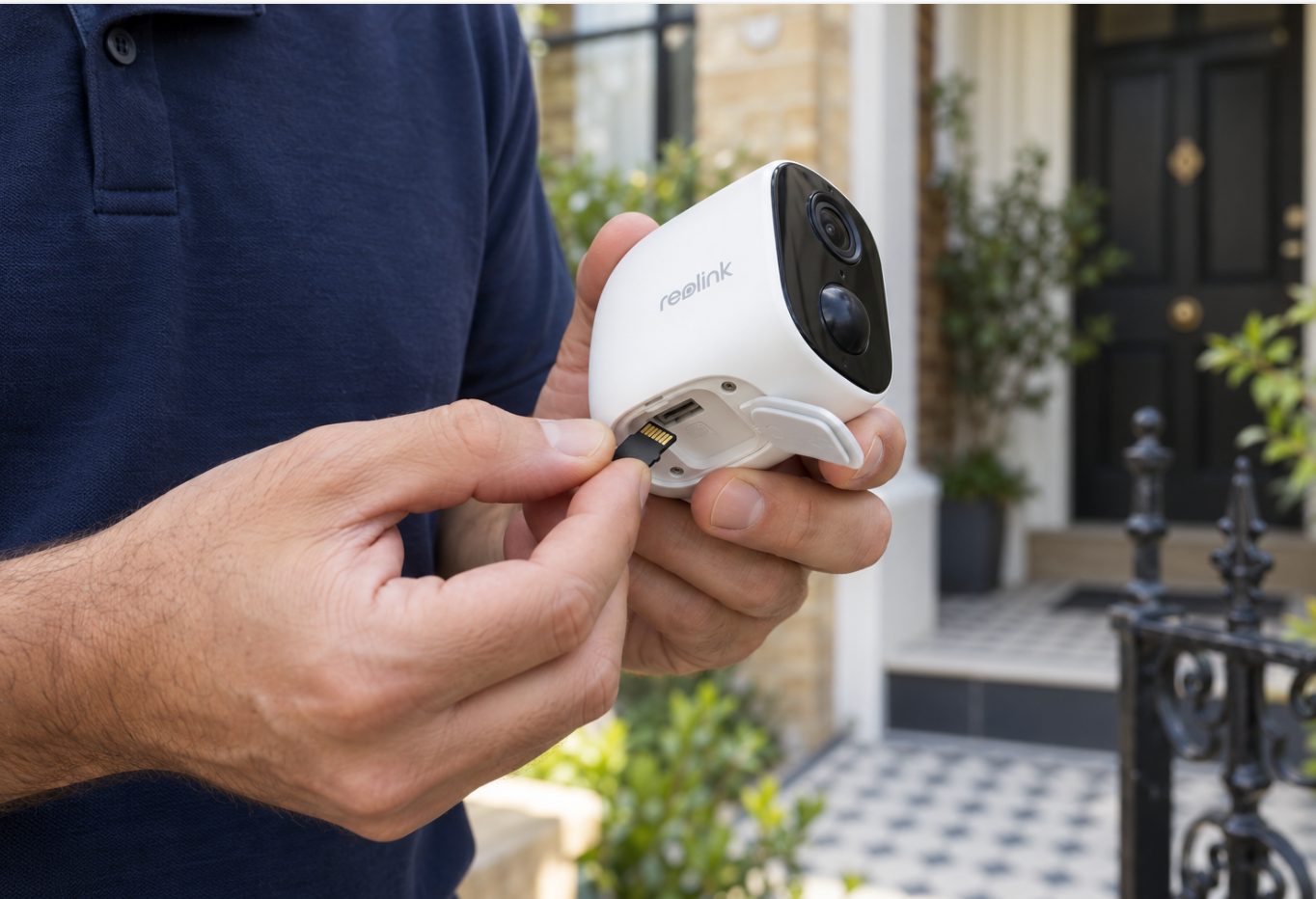
In a battery security camera that records only when it detects motion, a 64GB card holds around 6 months of footage on average. We measured 333 motion recordings from three of our own Reolink cameras and the average clip was about 2 MB, so a 64GB card fits roughly 30,000 clips. How long that lasts depends almost entirely on how many times a day your camera is triggered.
Why the answer is in clips, not hours
Most charts online answer this question in hours of video, because they assume a camera recording all day. A battery camera doesn't do that. It wakes up, records a short clip and goes back to sleep, so the useful measure is how big each clip is and how many clips you get each day.
From our own measurements across 333 recordings:
- Average clip: about 2 MB
- 90% of clips: under 3.4 MB
- Largest clip: 7.3 MB
A 64GB card shows up as roughly 59GB of usable space once it's formatted, because card makers count a gigabyte slightly differently from cameras and computers. Divide that by 2 MB and you get about 30,000 average clips. If every clip were as big as our 90th-percentile figure of 3.4 MB, you'd still fit about 17,000.
Clip length matters too. Each clip runs for as long as the motion lasts, plus a post-record time after it stops. On Reolink Wi-Fi battery cameras that can be set to 8, 15 or 30 seconds, plug-in Wi-Fi and PoE cameras offer 15 seconds, 30 seconds or 1 minute, and the 4G Reolink Go is fixed at 10 seconds. A longer post-record time means bigger clips.
How many times a day does a security camera actually trigger?
Most people guess 10 to 15 times a day. Our real cameras were triggered between 34 and 135 times a day.
Every trigger counts, not just strangers: you leaving for work, the kids coming home, the cat, a delivery driver, cars going past, headlights at night, a plant moving in the wind, rain and insects. A camera on a terrace front that looks across a busy footpath in Newtown or Surry Hills will trigger far more often than one watching a back gate in a quiet lane.
Worked examples: quiet, busy and badly tuned cameras
The table below uses our 2 MB average clip and about 59GB of usable space. It assumes overwrite is on, so once the card is full the camera deletes the oldest clips to make room. The trigger counts all come from our own measurements.
| Camera | Triggers a day | Storage used a day | Roughly how far back a 64GB card goes |
|---|---|---|---|
| Quiet back gate or side passage | 34 | about 70 MB | over 2 years |
| Busy camera facing a street | 135 | about 270 MB | about 7 months |
| Busy camera with bigger clips (3.4 MB each) | 135 | about 460 MB | about 4 months |
| Business driveway, not tuned | about 1,300 | about 2.6 GB | about 3 weeks |
| Cobweb across the lens | almost constant | hundreds of GB | a matter of hours |
The cobweb row is real. A web in front of one camera triggered it almost constantly: more than 9,000 recordings and nearly 1 TB in a few days. At that rate a 64GB card fills in hours, which means everything older than that morning has already been deleted.
So why do we say "around 6 months"?
A quiet camera does much better than 6 months, so why not quote that? Because trigger counts change through the year. Summer brings spiders and insects, windy weeks bring moving branches, and some nights the clips run longer. Around 6 months sits between our busy-camera figures, and it's a safer number to plan around than a best case.
The card also never "runs out". With overwrite on, the real question is how far back your footage goes on the day you need it.
Why continuous recording is completely different
Continuous (24/7) recording is a different job. The camera writes video every second of the day, so what matters is the bitrate, not the number of clips.
Reolink's own storage table gives these figures for a 64GB card recording around the clock (main stream only):
| Bitrate | Continuous recording on 64GB |
|---|---|
| 2,048 kbps | about 73 hours (3 days) |
| 4,096 kbps | about 36 hours |
| 6,144 kbps | about 24 hours |
That's from Reolink's SD card recording guide, which also notes that the sub-stream bitrate adds to the total. So a 24/7 camera fills a 64GB card in roughly one to three days.
Most battery and solar cameras record only on motion. Reolink's storage guide says battery cameras don't support continuous recording, but its continuous recording set-up guide says some battery models do. If yours offers it and you turn it on, ignore the motion figures above and use the continuous table. Reolink's suggestions for making continuous recording last longer are a lower bitrate or a bigger card.
Why we fit a 64GB card as standard
When WireFree Security supplies Reolink cameras, each one gets a 64GB card. Here's why:
- It covers months of motion recording. If something happens, you'll usually want the footage within days, not months.
- It works in every Reolink camera with a card slot. Some older models, including the Argus 2, Argus Pro and the original Reolink Go 4G camera, only take cards up to 64GB. Many newer models take 128GB to 512GB.
- A bigger card doesn't fix the real weak point. The card sits inside the camera. If someone pulls the camera off the wall, the footage on it goes too. A 512GB card won't help with that, but an off-site copy will. That's why our supplied cameras come with 6 months of WireFree Cloud, which uploads each recording to storage in Sydney.
A bigger card does make sense for a plug-in camera recording 24/7, or for a business that wants a long history on the card. Whatever size you buy, Reolink's requirements are Class 10 or faster, formatted FAT32 (the camera can format it for you), and SDXC for anything over 32GB.
How to make a 64GB card last longer
These steps are roughly in order of how much difference they make.
- Turn on person (and vehicle) detection. On one busy business driveway we measured, switching to person-only detection with a detection zone cut recordings by about 97%, from about 1,300 a day to under 40.
- Draw a detection zone. Leave out the footpath, the road, the neighbour's yard and any plants that move. Only cover the area you actually care about.
- Keep the lens clear of webs. One web can fill a card in hours. Our guide to fixing false alerts covers spiders, trees and sensitivity settings.
- Shorten the post-record time. Dropping from 30 seconds to 15 makes each clip smaller. Leave enough time to see where someone goes after they leave the frame.
- Turn the sensitivity down a notch before you lower the quality. Dropping the resolution saves space, but detail is what makes footage worth having.
- Check overwrite is on. Some models, such as the Argus 2, Argus Pro and Reolink Go, overwrite automatically. On others, if "No Overwrite" is selected, the camera stops recording when the card is full. Some models also let you choose how many days to keep.
- Save important clips straight away. Download them to your phone or keep them in the cloud before they get overwritten. If police or your insurer need a copy, see how to give CCTV footage to NSW Police or your insurer.
How to work out your own camera's figure
Your camera's figure will be different from ours, and it only takes a week to find out:
- Write down how much card space is used today (it's in the camera's storage settings in the app).
- After 7 days, check the storage used again and divide the increase by 7. That's your daily usage.
- Divide your usable space (about 59GB, or 59,000 MB) by your daily usage. The answer is roughly how many days back your card goes.
- While you're there, scroll through a day of playback and see what's triggering the camera.
Say your camera uses 300 MB a day. 59,000 ÷ 300 = about 197 days, or around 6 months. If you get a much smaller number, something is triggering the camera too often. Fix that before you buy a bigger card.
The short version
A 64GB card in a motion-recording battery camera holds around 6 months on average. A quiet camera holds a lot more, and a badly aimed camera or a cobweb can cut that to weeks or hours. Get the detection settings right first, keep the lens clear and save important clips somewhere other than the camera. If you're adding cameras, our installation prices include setting up motion zones and notifications.
Common questions
What happens to my footage when the SD card is full?
With overwrite turned on, the camera deletes the oldest recordings to make room for new ones, so it keeps recording. On Reolink models that let you turn overwrite off, choosing No Overwrite means the camera stops recording once the card is full. Some models also let you set a number of days to keep, such as 7, after which older clips are removed even if the card still has space.
Does a higher resolution camera fill the card faster?
Usually, yes. Higher resolution and higher bitrate mean bigger files, so each motion clip takes more space. Reolink says a higher bitrate gives better image quality but bigger recordings. For a battery camera recording only on motion, though, how often it triggers matters far more than quality settings. Fixing false triggers normally saves much more space than dropping the resolution, and you keep the detail.
Can someone take the footage by stealing the camera?
Yes. The memory card sits inside the camera, so if the camera is taken or smashed, the recordings on the card can go with it. That's the main reason to keep an off-site copy. A cloud service uploads each clip after it's recorded, so earlier footage is already stored somewhere else. Turning on phone alerts also lets you save a clip as soon as something happens.
Will a 128GB card double my recording time?
Roughly, yes. Reolink's storage tables show recording time scaling directly with card size, so a 128GB card holds about twice as much as a 64GB card at the same settings. Check your model's maximum first, because some older cameras such as the Argus 2 only take 64GB. A bigger card won't help if false triggers are filling it, so fix detection settings first.
Sources
- How Long Can the Micro SD Card in Reolink Cameras Record — Reolink Support
- How to Choose microSD Card for Reolink Device — Reolink Support
- How to Enable or Disable microSD Card/HDD Overwrite on Reolink Devices — Reolink Support
- How to Set up Continuous Recording on SD card, Reolink NVR and Home Hub — Reolink Support
- Why Are Recorded Videos so Short — Reolink Support
General information, not legal advice. Prices are “from” prices; your quote depends on the site.